Requesting an inspection
1. Log into your account on the ePermit Public Portal.
https://co-catawba-nc.smartgovcommunity.com/Public/Home
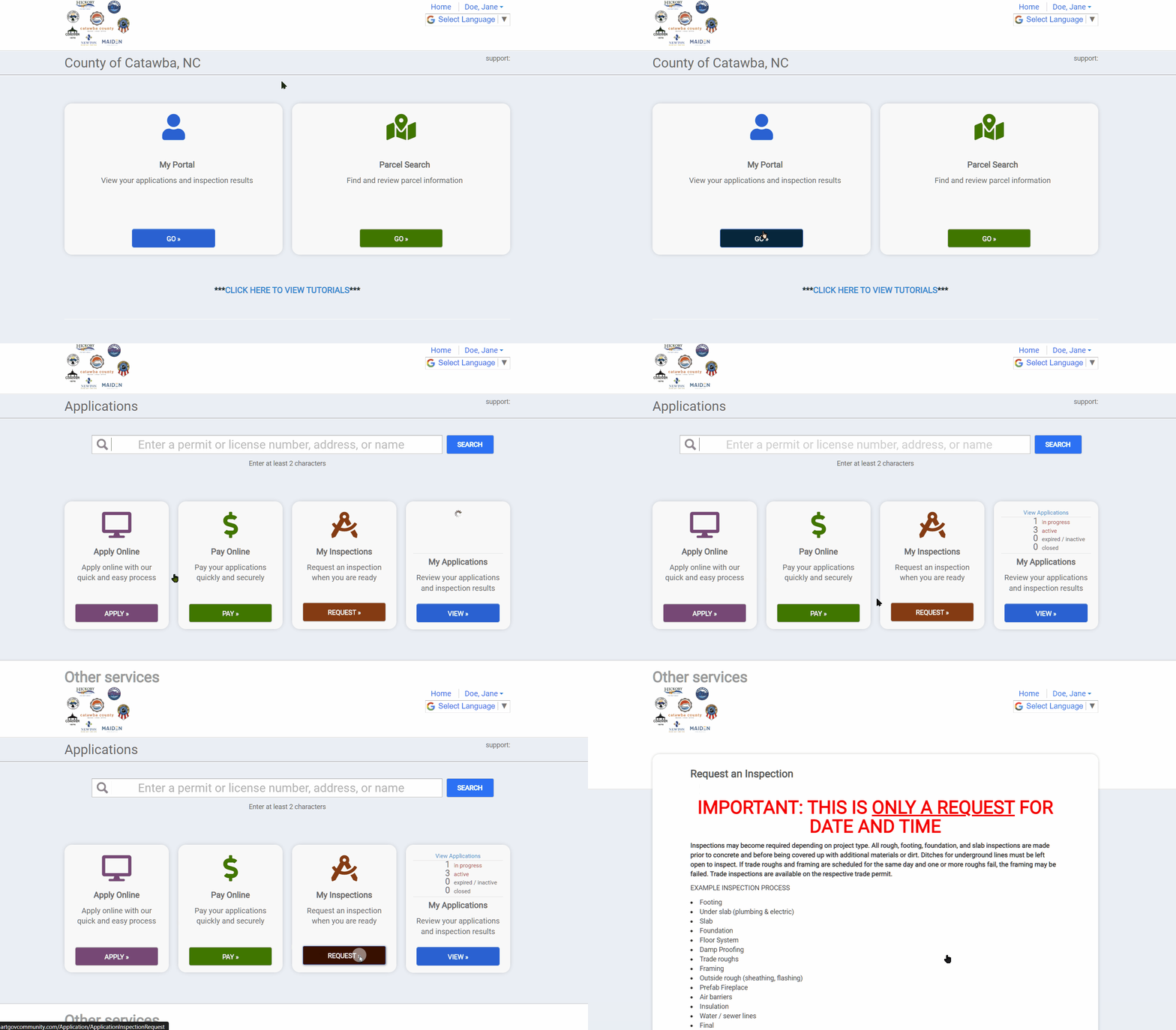
2. After logging into your account, go to "My Portal" and select to request "My Inspections."
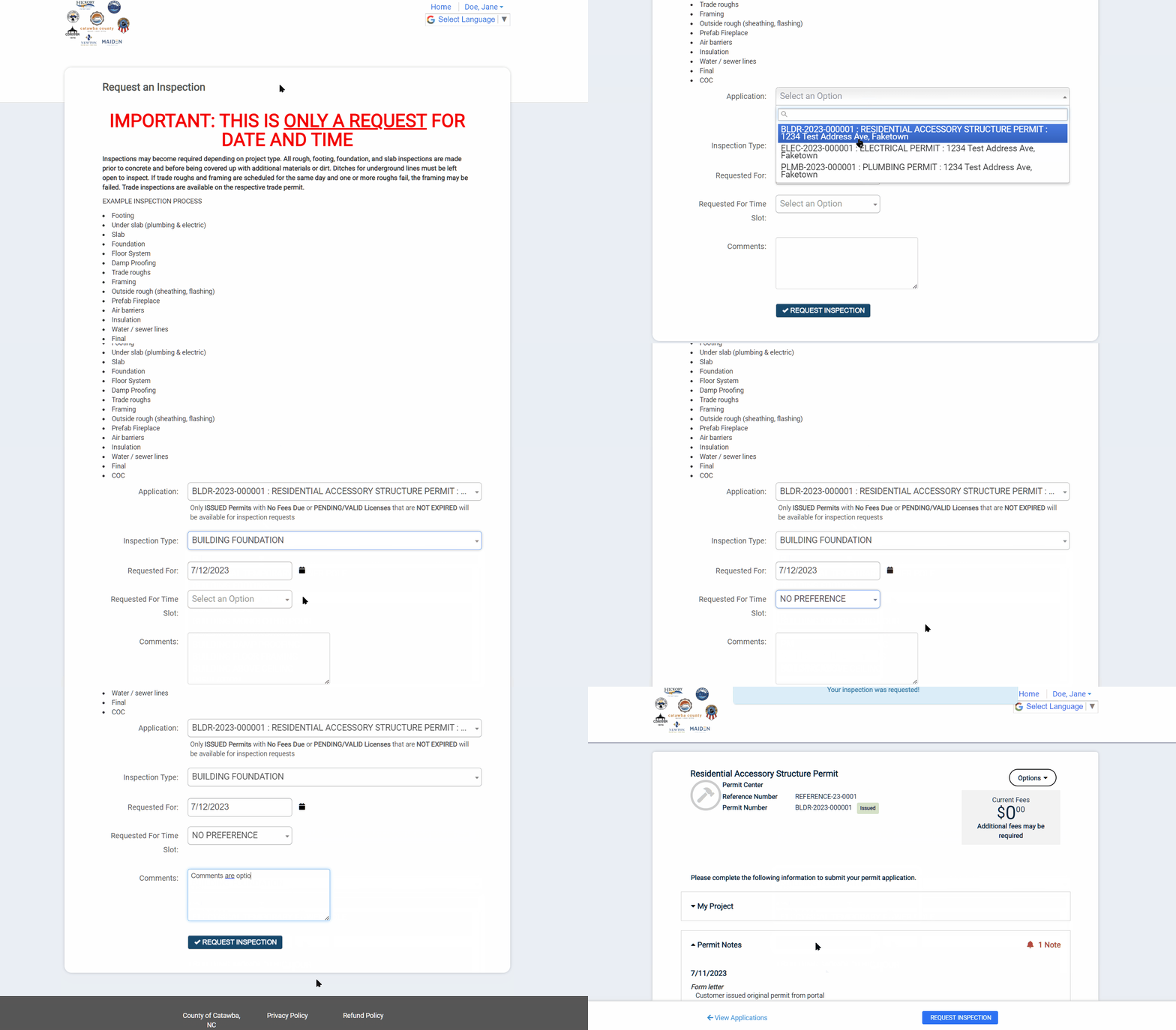
3. On the Request an Inspection webpage, select which permit the inspection is for, what type of inspection is being requested, what date it is being requested, and if a particular time of day is preferred. Once these details are entered, click on the Request Inspection button to submit your request. [IMPORTANT: The date and time selected are only a request and may differ from the actual date and time assigned for the requested inspection.]