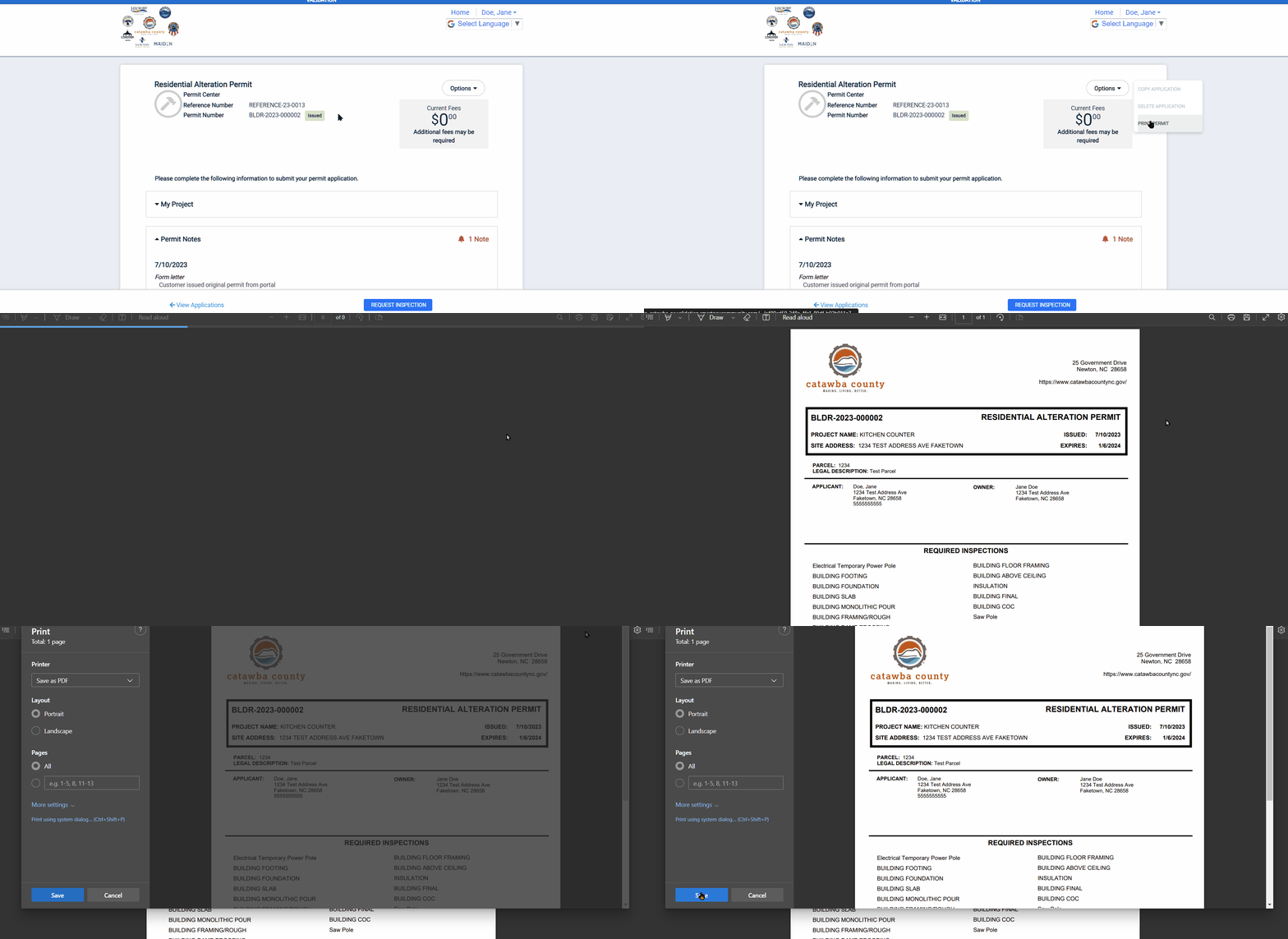
Printing an issued permit
IMPORTANT: Before you can print it, you must first issue the permit.
1. Log into your account on the ePermit Public Portal.
https://co-catawba-nc.smartgovcommunity.com/Public/Home
2. Once logged into your account, go to "My Portal" and select to view "My Applications." Choose the ePermit application of the issued permit which you want to print.

3. On the ePermit application, click on the Options button and select Print Permit. A new window will open to display the permit printout sheet(s). Click on the printer icon and then select your printer options to finish printing your permit.