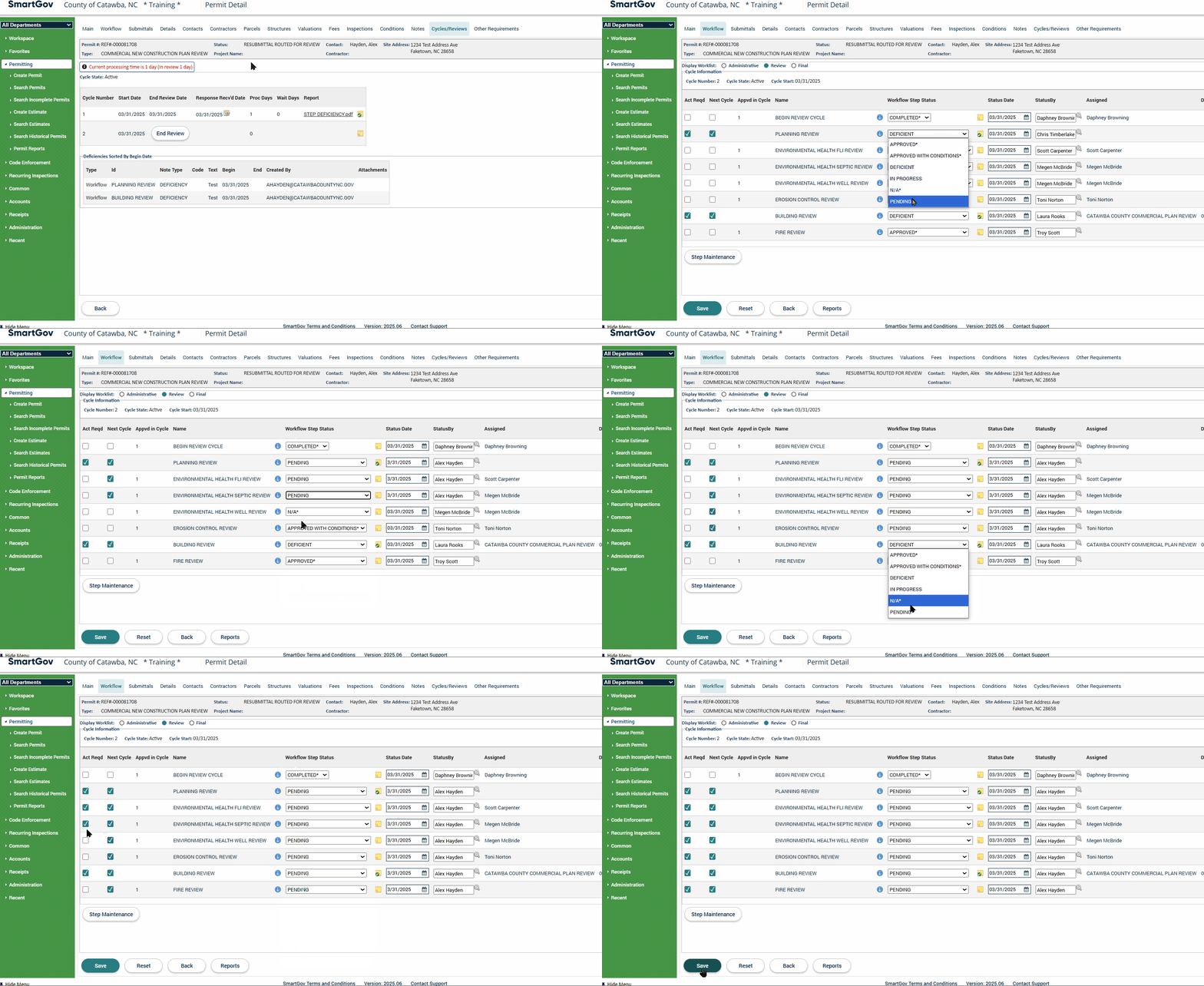
Beginning the Next Review Cycle
Once the applicant has uploaded all needed resubmittals based on your deficiency comments, you may begin the next review cycle. To do so, follow the instructions below.
1. Go to the corresponding application and click on the Submittals tab. Confirm that the resubmittals are proper submissions by pressing the  next to the resubmitted document and clicking on the file's name. If the resubmission appear correct, check the Accepted box next to the resubmittal(s) and click on the Save button on the bottom of the page.
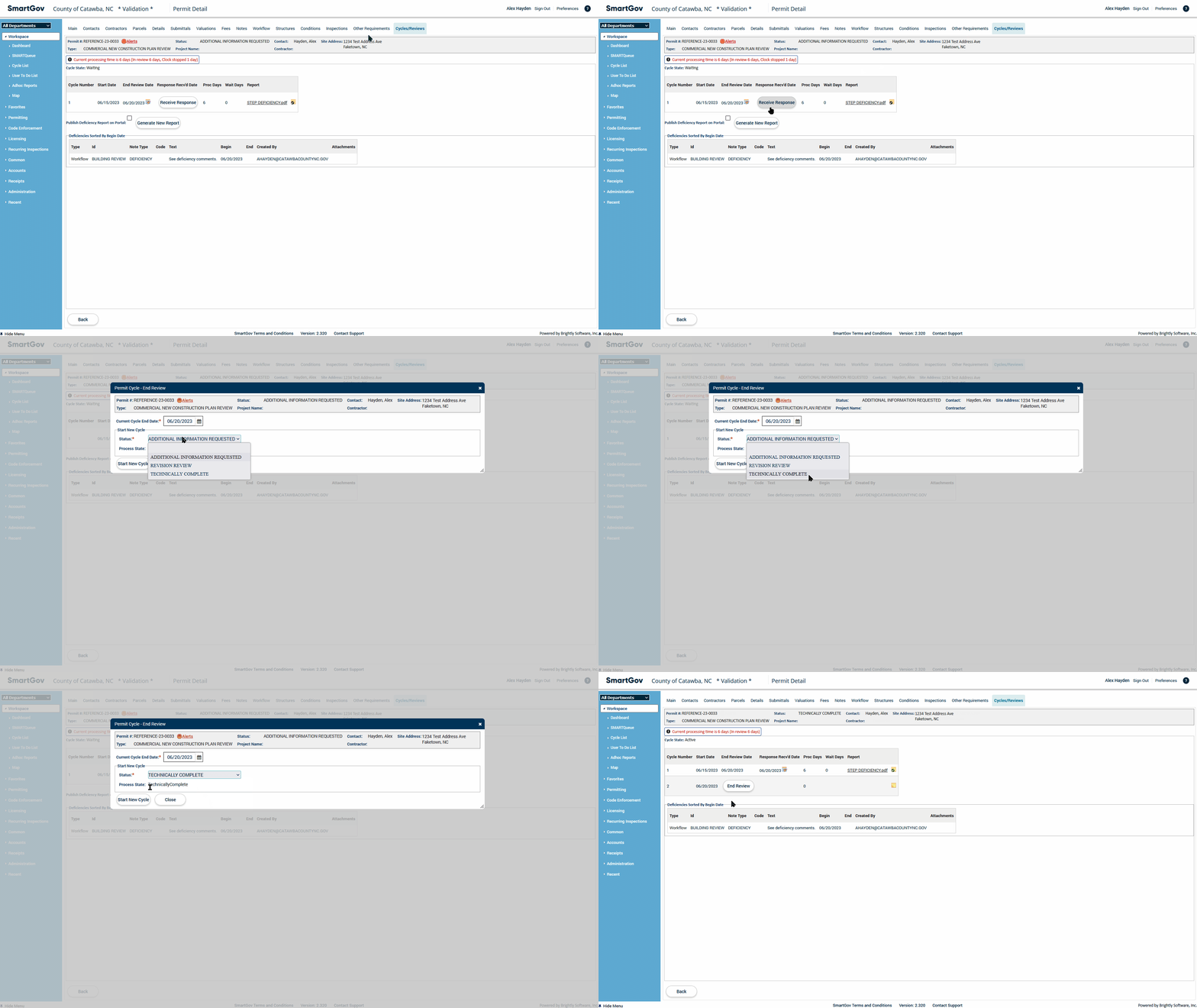
2. Click on the Cycles/Reviews tab. Press the Receive Response button, select "RESUBMITTAL ROUTED FOR REVIEW" for the Status in the pop-up window, and click on the Start New Cycle button.
3. Click on the Workflow tab. Update the departmental review steps so that all their Workflow Step Statuses are set to "PENDING" status. Check the "Act Reqd" checkbox for all departmental review steps which are not already checked. Click on the Save button.